
An award night or a pageant final is really two events. There's the public vote, which often runs for weeks, and then there's the show, with tickets, a guest list and a gate. Most organizers use one system for each and spend the last week trying to get the numbers to line up.
There's another way: put both on a single online voting and ticketing platform in Ghana. On Aspec Hub, the voting contest and the ticketed event live in the same organizer dashboard, with USSD voting and Mobile Money included and a single payout account for everything (Aspec Hub).
Below, we follow one event from nominations right through to the last guest at the door, one phase at a time.
TL;DR
- Two tools for voting and ticketing means two logins, two payout accounts and two sets of figures. One platform gives you a single dashboard and a single payout account.
- On Aspec Hub, the voting contest goes under Vote Forms and the show under Event Ticketing, both in one account.
- People pay by Mobile Money, card or USSD, so fans with no data and fans overseas can both join in.
- The people who vote are your likeliest ticket buyers. Selling to them on the same platform is the easiest marketing you'll ever do.
- There's no setup fee on Aspec Hub, and it takes 5% on paid sales only. Most withdrawals land within 10 to 20 minutes.
What two platforms for one event really cost you
The usual approach is a voting tool open in one tab and a ticketing tool in another. Aspec Hub sums up where that leads: "two logins, two payout accounts, and two sets of numbers that never quite agree" (Aspec Hub).
The split causes pain in four places:
- Your audience is divided. Whoever voted for a nominee is the person most likely to want a ticket to watch them win, but across two systems it's hard to reach one group from the other.
- Your money is divided. Two payout accounts give you two balances, two withdrawal timetables and two lots of fees to keep track of.
- Your reports are divided. Sponsors and committees want a single figure, so you're left merging spreadsheets.
- Your support is divided. When a voter or buyer runs into trouble on the night, you have to work out which vendor to ring.
| Job | Two separate tools | A single platform |
|---|---|---|
| Logins | Two | One |
| Payout accounts | Two | One |
| Audience | Voters and buyers kept apart | One audience for both |
| Reports | Two exports to merge | One dashboard |
| Support | Two vendors | One team |
One event, start to finish: nominations to results night
This is how one awards night or pageant runs on Aspec Hub, following the steps in Aspec Hub's organizer documentation.
Phase 1: Set up your account (just once)
Sign up as an organizer with email or Google, confirm your email address and complete your organization profile: the basic details, a contact phone number, a cover image and your logo (Aspec Hub documentation).
After that, confirm your phone number with a one-time code. You can't create events or voting contests until you've done this (Aspec Hub documentation).
Finally, add a payout account, either Mobile Money or a bank account. The same one covers your votes and your tickets (Aspec Hub documentation).
Phase 2: Build the voting contest
Go to the Vote Forms tab and choose New Forms. Give it a title, description and image, then add your categories, making sure no two are the same. Choose when voting opens and closes and set a base price per vote. Every category can carry its own price, and you're free to change it later (Aspec Hub documentation).
Once you publish, the contest shows as Pending while the Aspec Hub team checks it, and you'll get an email when it's approved, so allow time for that review. Not sure what to charge? Read up on how to price your votes before you publish.
Phase 3: Set up the show as a ticketed event
Go to the Event Ticketing tab and choose New Events. Fill in the event details, the venue's name and location, when ticket sales open and close, a category, tags and how tickets will be scanned, by QR code or barcode. This event also sits at Pending until it's been reviewed (Aspec Hub documentation).
The show can have several ticket tiers, like Early Bird, Regular, VIP, Student, Table Package or Group, and each one gets its own price, quantity cap and sales window (Aspec Hub FAQ).
Phase 4: Open voting everywhere
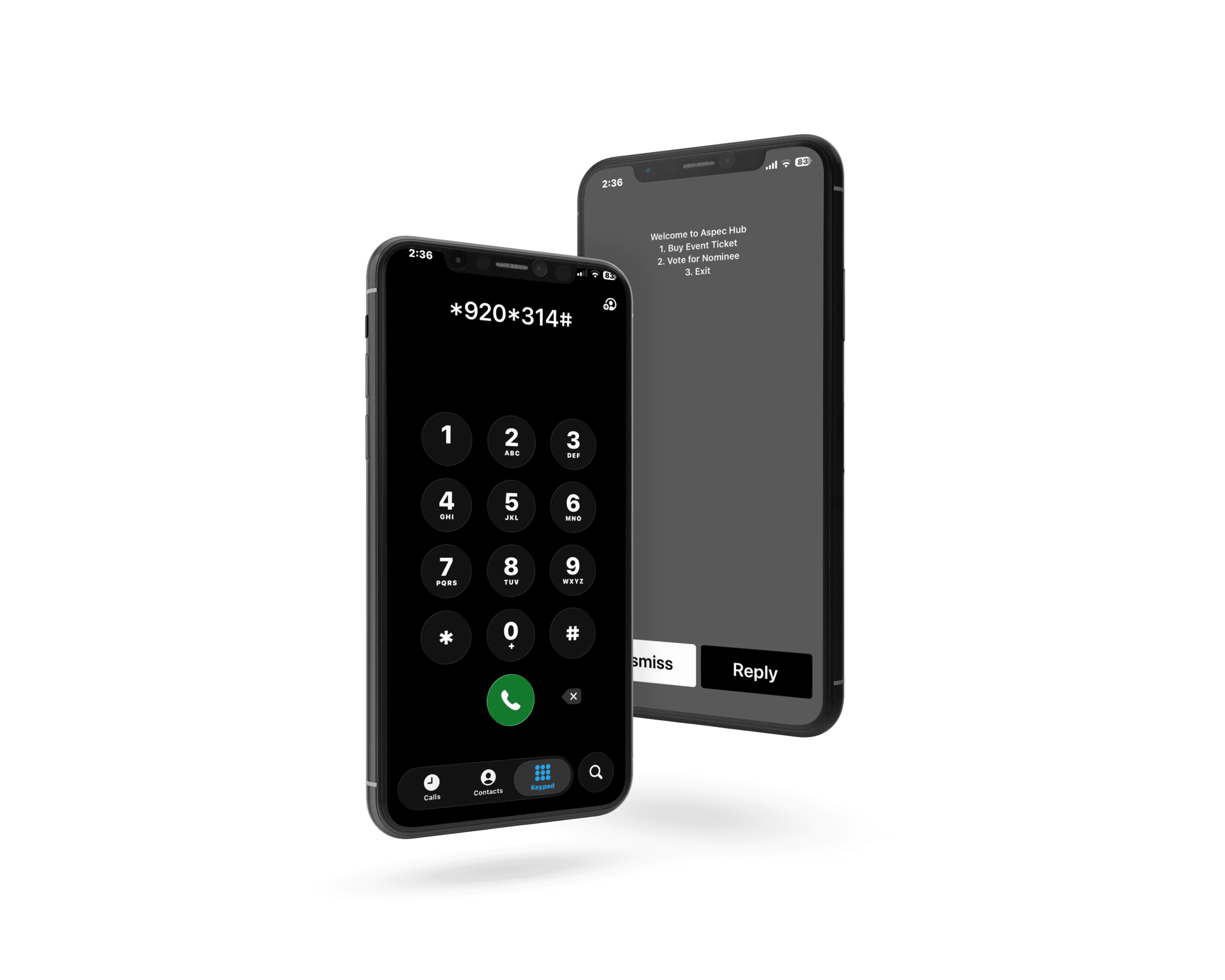
When the contest is approved, share the voting link. Aspec Hub handles online voting, plus USSD and Telegram voting on plans that include them. With USSD, voters type in a nominee code and pay through a supported channel, no internet required (Aspec Hub).
Voters can pay by Mobile Money, debit or credit card, or USSD, and card payments mean fans outside Ghana can vote as well (Aspec Hub FAQ). Planning to run the contest on USSD? Read how to get a USSD code for awards voting, along with the checklist that comes with it.
Phase 5: Sell tickets to your voters
Here's where one platform earns its keep. Fans who've been voting all season are already invested, so open ticket sales while the vote is still running and steer voters towards the show:
- Add the ticket link to every nominee's voting page and flyer.
- Release an Early Bird tier during the final week of voting.
- Set up a nominee or guest tier for finalists and their families.
- Remind voters that winners are only revealed at the show.
Phase 6: Check guests in on the night
Your team scans tickets with the free Aspec Hub scanner app for Android or iOS. It checks tickets in real time, carries on working offline and flags a code the moment someone tries to use it twice (Aspec Hub).
The gate is where plenty of awards nights come unstuck. For an example of a gate run on staff phones, see Aspec Hub's awards-night check-in case study, and for more on setting up the gate, read our guide to QR code ticket scanning.
Phase 7: Close the vote, reveal the results and get paid
Voting shuts at the end time you chose, and results update live. Once the show's over, withdraw from that same payout account. A withdrawal costs GHS 1 to Mobile Money or GHS 8 to a bank account, has to be between GHS 20 and GHS 10,000, and normally lands in 10 to 20 minutes, though some take as long as 12 hours (Aspec Hub documentation).
Why USSD and Mobile Money matter for the vote and the show
Much of Ghana is online, but not everyone. At the end of 2025, about 26.3 million people, or 74.6% of the population, used the internet (DataReportal, 2026). So roughly one person in four is offline, yet many of them still own a phone, and USSD runs on any phone without data.
Ghana pays by mobile money. In August 2026, transactions hit GH¢518.8 billion, around 46.5% up on the year before, across 85.8 million registered accounts (Bank of Ghana, September 2026).
For a campus pageant or a regional awards show, those two facts shape your turnout. A student in a hostel with no data can still vote by USSD, and a ticket buyer can pay by Mobile Money in a few seconds. Aspec Hub's university case study describes exactly this arrangement: per-vote pricing paid by Mobile Money, USSD voting for students who don't have smartphones or data, and tickets for the award night on the same platform (Aspec Hub case study).
What you'll pay
Aspec Hub's pricing is published:
| What | Cost |
|---|---|
| Creating an event or a contest | Free, with no setup fee |
| Monthly subscription | None |
| Paid sales | 5% commission |
| Free events and free tiers | Free |
| Withdrawing to Mobile Money | GHS 1 |
| Withdrawing to a bank account | GHS 8 |
Sources: Aspec Hub for organizers and Aspec Hub documentation.
Mistakes to avoid when you run both
- Waiting until voting is over to sell tickets. Interest drops the day the results come out, so sell while the race is still on.
- Forgetting about the review. Contests and events are checked before they go live, so submit them early.
- Setting vote and ticket prices separately. A fan who spends a lot on votes may pass on an expensive ticket, so plan the two prices together.
- Leaving out USSD. You'll lose voters who've run out of data on voting day.
- Not testing. Run a separate test contest, and buy a test ticket with each payment method, before you announce anything. Votes on a live contest are real and can't be refunded.
- Overlooking vote integrity. Before voting opens, read how to keep an online voting contest clean.
FAQ
Can one Aspec Hub account run both the vote and the ticket sales for an event?
Yes. The voting contest goes under the Vote Forms tab and the event under the Event Ticketing tab of the same organizer dashboard, sharing one account and one payout account.
Can fans with no internet still vote or buy tickets?
Yes. On plans that include USSD, voters enter a nominee code and pay through supported payment channels, and events with USSD service can sell tickets the same way. The Aspec Hub USSD code works on every mobile network.
What payment methods do voters and ticket buyers have?
Mobile Money, a debit or credit card, or USSD. Paying by card also lets fans outside Ghana take part.
What does it cost to run voting and ticketing on Aspec Hub?
There's no setup fee and no monthly subscription. Aspec Hub takes 5% on paid sales only, and free events stay free. Withdrawals cost GHS 1 to Mobile Money or GHS 8 to a bank account.
How quickly can I withdraw what I've earned?
Most withdrawals reach your Mobile Money wallet or bank account in 10 to 20 minutes, though some take up to 12 hours. Each one has to be between GHS 20 and GHS 10,000.
Do I need special equipment at the gate?
No. Your team scans QR or barcode tickets with the free Aspec Hub scanner app on Android or iOS. It checks tickets in real time, works offline and flags any ticket that's already been used.
Next steps
If your next awards night or pageant has a public vote and a ticketed show, treat them as one event from the very first day. Set up your account, build the contest and the show in the same dashboard, and sell tickets to your voters while the race is still tight.
Want to run both from one place? Begin with Aspec Hub for organizers. New to ticketing? Our checklist on how to set up event ticketing takes you through each step.
Related Guides
- Aspec Hub for organizers: voting, ticketing and gate scanning from one dashboard.
- Getting a USSD code for awards voting: the launch checklist: having USSD voting ready in time.
- Setting up event ticketing in Ghana: the ticketing checklist, step by step.
- A pricing framework for award show votes: choosing vote prices and bundles.
- Keeping an online voting contest clean: results people can trust.
- QR ticket scanning with no extra equipment: a quicker check-in at the gate.
Source Links
- Aspec Hub organizer documentation: setting up accounts, payouts, events and voting contests.
- Aspec Hub FAQ: payment methods, ticket tiers and scanning.
- Bank of Ghana: Summary of Economic and Financial Data, September 2026: figures on mobile money.
- DataReportal: Digital 2026 Ghana: internet use in Ghana.
- Aspec Hub case study: awards-night check-in: how the gate was run.